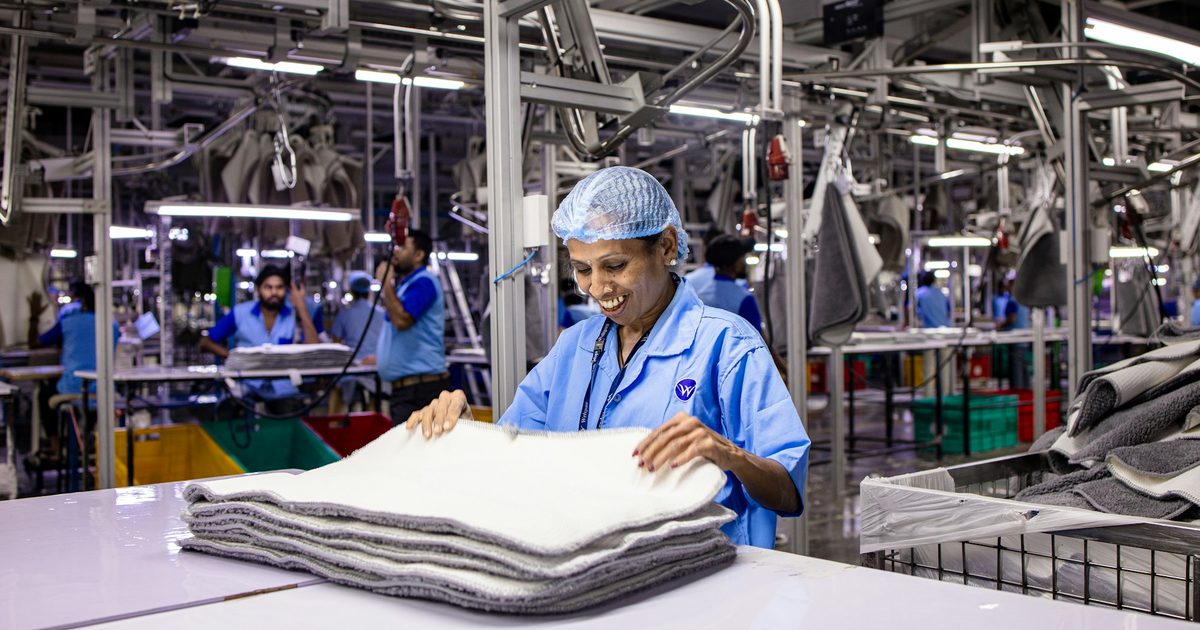
Most HR self-service was designed for people with a laptop and a work email address. In a factory, a warehouse or a hospital, most of the payroll has neither. They queue at the HR window for a payslip that already exists in a system, fill in paper leave forms and report missed punches out loud. An ESS kiosk gives them the same self-service an office worker gets from a browser, on a shared screen a short walk from where they work.
What is an ESS kiosk?
An employee self-service kiosk, or ESS kiosk (also called an HR kiosk), is a shared touch screen, often a wall-mounted tablet, where staff identify themselves and handle routine HR business on their own. Each action goes straight into the HR system, so there is no second copy to keep in step and no form for HR to re-key.
Who it is for
An ESS kiosk earns its place wherever a large part of the workforce does not sit at a computer: manufacturing and garment plants, warehouses and logistics hubs, hospitals and care homes, retail back rooms, hotels, security and facility services, and construction sites with a site office.
What workers can do at the kiosk
- Payslips: view the current and past payslips, explained in plain words.
- Leave: see balances, apply for leave and check who the request is waiting on.
- Attendance: punch in and out, see the month so far and ask for a missed or wrong punch to be corrected while it is still fresh.
- Rosters: check upcoming shifts.
- Documents and policies: read the current policy, acknowledge it, and get alerts before a document expires.
- Notices: company announcements in place of a notice board nobody updates.
- Profile changes: request an update to a phone number or emergency contact, checked by HR.
- HR help desk: raise a question when self-service is not enough, and see its status next time.
Sign-in without passwords
A worker who uses a computer twice a month will not remember a password. ESS kiosks use something they always have with them instead: a short PIN, the QR code on their ID card, or their face. Face sign-in should be optional and used only with the person's consent. Because access is checked against the employee record, a new joiner can use the kiosk on day one and a leaver loses access as soon as HR records the exit.
Privacy on a shared screen
The person behind you in the queue must never see your salary. A well-built ESS kiosk keeps sessions short, ends them automatically after a timeout or on sign-out, and clears the screen so nothing personal is left for the next user. Payslips are fetched for the session and shown, not stored on the tablet.
Designing for the shop floor
- Large touch targets that work with gloves and in poor light.
- The languages your workforce speaks, with each worker choosing their own. Our ESS kiosk offers 26 languages, including right-to-left Arabic and Urdu.
- Offline punching. If the network drops, punches are kept on the tablet with their real time and sent when it returns, so attendance is never lost.
- Only what applies. A worker should see the tiles that apply to them, not every HR function the company has.
Keep the HR system you already have
An ESS kiosk does not have to replace your HRMS. Ours can run on its own HR system or alongside the one you use today in a mirror mode: you export people, leave balances, attendance and payslips from your HR system as an Excel workbook and import it, and the punches, leave requests and corrections made at the kiosk come back out as an Excel file for you to load. That is an Excel exchange, not a live connection; a live connector to your HR system can be built as a separate piece of work.
Rolling out an ESS kiosk
- Pick the spots. Mount kiosks where people already pass between shifts: the canteen, the time-office, the main entrance. A kiosk nobody walks past goes unused.
- Start with the questions HR hears most. Payslips, leave balances and missed punches usually make up most of the HR window's day.
- Enrol staff before launch so the first visit works: PINs or ID-card QR codes ready, faces enrolled only for those who agree.
- Tell people what it is for. A short notice in each language, and supervisors who show their team on day one.
- Watch what HR stops doing. The measure of success is the queue that disappears and the payroll corrections that arrive during the month instead of in the last week.
Try it
Our ESS kiosk software runs on an Android tablet and comes with a 14-day free trial: a real account with sample data for up to 50 people and 2 kiosks, no card needed. If you need a different terminal, a payslip printer or a deeper integration, we build that as custom kiosk software.
Frequently asked questions
Related solutions and services

Employee Self-Service (ESS) Kiosk Software
A shared touch-screen kiosk that gives deskless staff payslips, leave, attendance, rosters, policies and HR tickets, signed in by PIN, ID card QR or face. NextEss is ready now on Android tablets with a free 14-day trial, or we build it to your requirements.
Learn more
Kiosk Application Development
Windows/.NET kiosk apps with peripheral integration.
Learn moreMore from the blog
Android Digital Signage: How to Run Your Screens From One Web Portal
How Android digital signage works: pair an Android TV, TV box or tablet with a short code, build playlists in a web portal and change every screen from your phone.
Remote Kiosk Management: How to Monitor, Update and Report on a Kiosk Fleet
What remote kiosk management covers: health monitoring, alerts, remote fixes, safe over-the-air updates and kiosk reporting that turns uptime into a measured figure.

Online Safety Induction for Contractors: A Practical Guide
How online safety induction works for contractors and site workers: lessons that cannot be skipped, a timed test, a QR certificate, approvals and a gate scan, with a record you can find later.
Tell us the journey, the sites and the hardware you already have — every engagement is scoped and quoted individually.