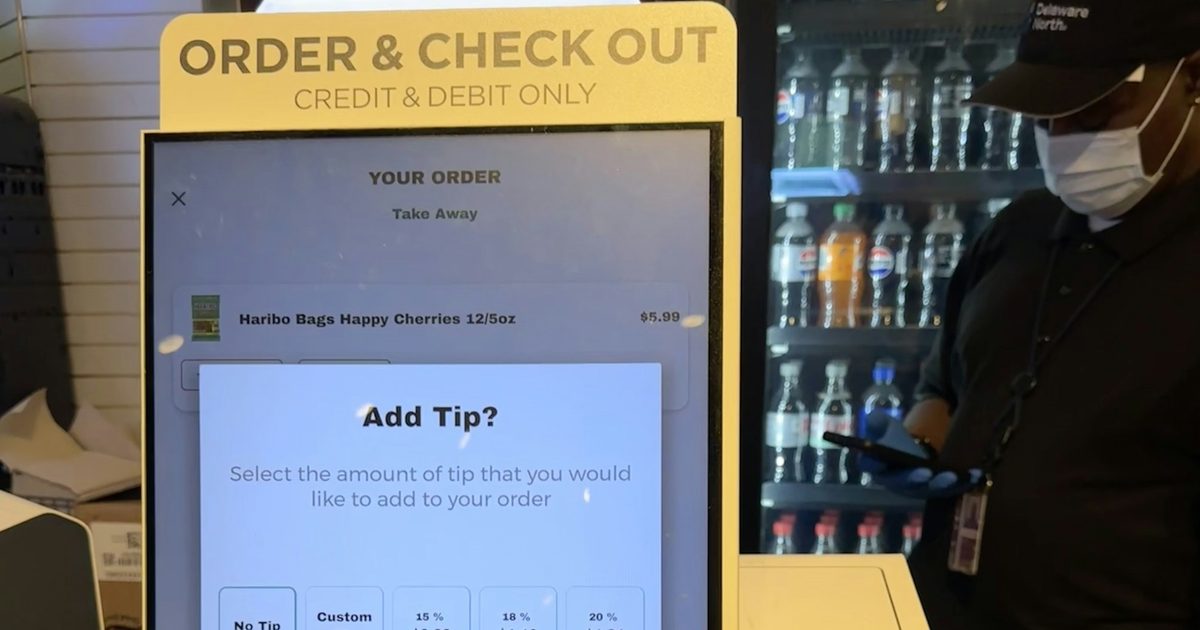
One kiosk in a lobby is a device. Forty kiosks across a region are an estate, and an estate needs an operations model, not a phone number. Without one, a terminal stops working and nobody at head office knows until a customer complains; an engineer drives out to find the printer out of paper; and a software update is emailed to every branch and installed differently at each. Remote kiosk management replaces all of that with one console that sees every terminal.
What remote kiosk management covers
A kiosk management platform has four jobs: see the state of every terminal, alert the right people when something goes wrong, act on a terminal without a site visit, and report on how the estate actually performed. A small client built into each kiosk application reports to the platform, and the platform turns those reports into a fleet view, alerts and figures.
What to monitor on each kiosk
- A heartbeat: is the device reachable and is the application running?
- Peripherals: does the printer, scanner or card terminal report ready?
- Battery and storage, for tablet kiosks and devices that fill up with logs.
- The installed version, so you know which terminals are on which build.
- Errors and warnings, with enough detail (the stack trace) for a developer to fix the cause.
Kiosks lose their connection. A good client buffers its events on the device and delivers them when the link returns, so an outage leaves a gap in connectivity, not in the record.
Alerts that matter
Too many alerts are as bad as none. Four rules catch most real problems:
- Gone silent: a terminal that was reporting has stopped.
- Crash loop: the application keeps failing with critical errors.
- Peripheral not ready: the printer, scanner or card terminal has stopped answering, named in the alert.
- Low battery while not charging.
Keep one open alert per terminal and rule until the condition clears, and send them to the team's phones, with email as an optional second channel, so the person who can act sees them first.
Fixing without a site visit
Many kiosk faults do not need hands. From the console an operator should be able to take a screenshot of what the kiosk is showing, put a message on its screen for the person standing at it, reload its settings, restart the application or sign the device out. When a visit is needed, the engineer already knows what is wrong and what to bring. Every remote action should be recorded against the terminal and the person who took it.
Safe over-the-air updates
Updating a fleet is where unmanaged estates go wrong. A safer pattern:
- Publish the new build to the platform, which checks the file before offering it.
- Send it to a few pilot terminals first.
- Widen the rollout step by step once the pilots are healthy.
- Pause, resume or withdraw the release if something goes wrong.
- Confirm from the console which terminals have updated.
Kiosk reporting: from impressions to figures
Without reporting, hardware and support decisions are made on impressions. With it, you can answer the questions that matter: how available was each terminal last month, which device fails most often, and was the uptime promised in the maintenance contract actually met?
The basis is outage timing: each outage measured from the first missed heartbeat to recovery. Fair reporting also excludes the time when the monitoring service itself was down, so neither side is blamed for it. Reports per customer or site, over any date range and in each site's own time zone, give operations, finance and service partners the same numbers.
Access for the right people
Operators who restart terminals and publish releases need more rights than managers who only follow the fleet. Role-based access lets administrators act and read-only users watch the same estate, with every action attributed to a person.
Getting started
Our kiosk management and remote monitoring platform does all of the above, and every kiosk solution we deliver can be enrolled in it: a terminal enters a one-time code once and joins the estate the day it is commissioned. We write the software; the terminals, enclosures and network links are yours. If your kiosk application was built by someone else, or not yet built, see our kiosk application development service or tell us about your estate.
Frequently asked questions
Related solutions and services

Centralized Kiosk Management & Remote Monitoring Platform
One console for every kiosk we deliver: enrolment, heartbeats and alerts for silent terminals, crash loops, low battery and peripheral faults, remote screenshot, restart and on-screen message, staged releases, one error log and uptime PDF reports.
Learn more
Kiosk Application Development
Windows/.NET kiosk apps with peripheral integration.
Learn moreMore from the blog
Android Digital Signage: How to Run Your Screens From One Web Portal
How Android digital signage works: pair an Android TV, TV box or tablet with a short code, build playlists in a web portal and change every screen from your phone.

ESS Kiosk Guide: HR Self-Service for Staff Without a Desk
What an ESS kiosk is, what workers can do at one, how sign-in and privacy work on a shared screen, and how to roll one out alongside the HR system you already have.

Online Safety Induction for Contractors: A Practical Guide
How online safety induction works for contractors and site workers: lessons that cannot be skipped, a timed test, a QR certificate, approvals and a gate scan, with a record you can find later.
Tell us the journey, the sites and the hardware you already have — every engagement is scoped and quoted individually.