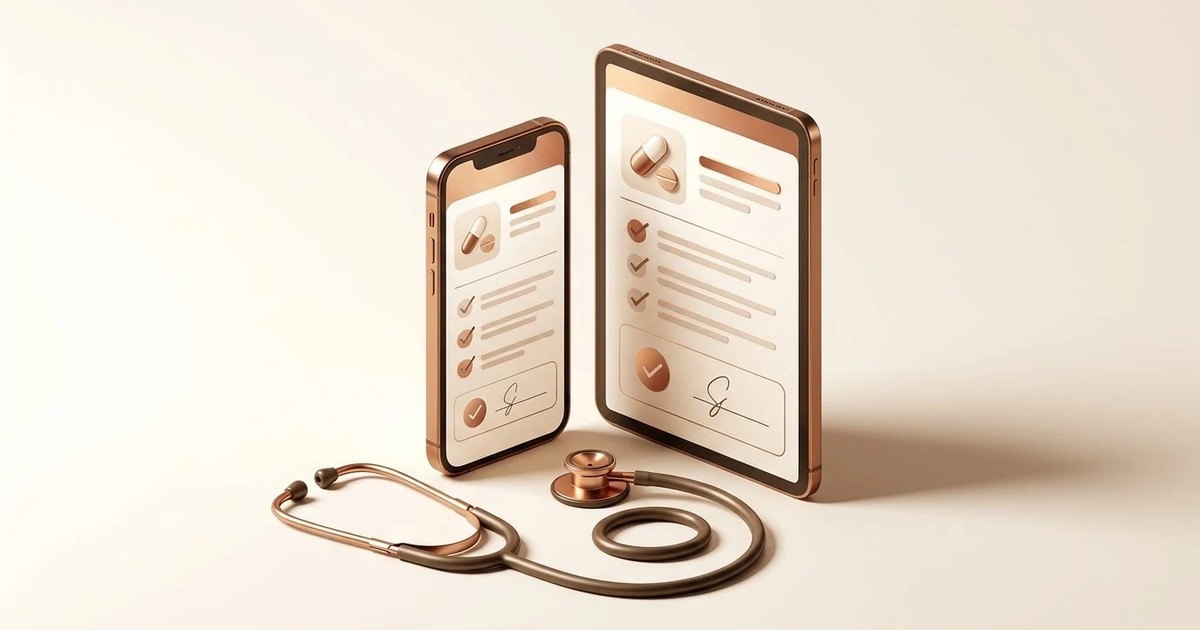
A doctor prescription app lets you write a prescription on your phone and give the patient a typed, one-page PDF instead of a handwritten slip. You enter the patient and the medicines, the app puts them on your own letterhead with a number, and you send the PDF to the patient's WhatsApp. If you write on a paper pad today, you can try one without cost: ours is on Google Play and starts with a 14-day trial.
What a digital prescription app actually does
It replaces the pad, not the doctor. You still decide what to prescribe. The app does not suggest medicines or doses. It records what you type, lays it out neatly and keeps a copy.
Most apps of this kind do four jobs. They collect the patient's details. They take the medicines, with doses and instructions. They produce a clean document. And they store it, so you can find it later. Better ones add certificates and a way to share the document without a printer.
AtashiTech builds one of these, a doctor prescription app for doctors, clinics and dental practices in India. This guide uses it as the example. The checklist near the end works for any app you look at.
What changes compared with the paper pad
Paper works. That is why it has lasted. So the question is not whether paper fails. It is which small daily problems you are tired of. Here is a typical OPD morning, written as an example and not as a measured result.
An example morning on paper
You see a patient with a long-standing complaint. You write five medicines by hand, fast, because the waiting room is full. The patient reads the slip later at the chemist and cannot make out the third line. The chemist guesses, or the patient calls the clinic. Two weeks later the same patient comes for a repeat. You write the whole list again from memory, or from a carbon copy if someone kept one.
The same morning in an app
You type the patient's name, age and mobile number. For each medicine you type the name, the morning, afternoon and night dose, and a line such as "after food" or "for 5 days". The doses use the 1-0-1 style you already write. The app makes the PDF and the patient gets it on WhatsApp. When the patient returns, you open the history, find the old prescription and tap Repeat. You change what needs changing and send it.
The gains are small ones, repeated all day:
- The chemist and the patient can read every line.
- The patient keeps a copy that does not get lost in a bag.
- Every prescription has a number and a date, so you can find it.
- A repeat starts from the last list, not from a blank page.
- Your clinic details change in one place, not on a reprinted pad.
There is a cost. Typing on a phone is slower than scribbling for the first few days. It gets quicker because the app remembers the medicine names you type and suggests them next time.
Features that matter in daily use
A long feature list is easy to write. These are the ones you will touch on a busy day.
Your own letterhead
You add your name, qualification line, registration number, phone, e-mail, clinic address and timings. You can add a logo and a signature. Every prescription then looks like it came from your own pad. In a clinic or hospital, the admin sets the letterhead once, and every doctor uses that one.
Doses in the format you already use
Each medicine has a name, a morning-afternoon-night dose and an instruction line. One page holds up to 12 medicines. If you need more, the list is probably too long for one visit anyway.
Numbered prescriptions
Each prescription gets a number in the form RX/2026/0001, counted per year and printed on the page. Certificates have their own numbering. A number helps when a patient calls and says "the one you gave me last month".
WhatsApp and any other app
Type the patient's mobile number and the PDF opens in their WhatsApp chat, whether you use WhatsApp or WhatsApp Business. You can also share it through any other app. The mobile number is used to send and to search. It is not printed on the prescription.
History, search and repeat
Past prescriptions can be searched by patient name, mobile number or document number. Opening one rebuilds the PDF as it was issued. Repeat copies the medicines into a new prescription.
Medical certificates
A separate certificate tab writes a medical certificate on the same letterhead. You type the text, and the app fits it on one page and numbers it.
Works without a signal
You can write a prescription and make the PDF with no internet. WhatsApp needs data only at the moment you send.
Is it a real prescription? The doctor check
A fair worry is that anyone could download a prescription app and print documents. Ours handles this in two ways. Sign-up asks for your medical registration number and a declaration, and a code is sent to your e-mail. Until we have checked your registration certificate against the medical register, every PDF carries a clear NOT VERIFIED mark.
The app is a writing and sharing tool. The rules that apply to your prescriptions, in your state and your specialty, still apply. Follow them as you always have.
How to start
- Install the app from Google Play on an Android phone or tablet. It needs Android 8.0 or later.
- Sign up with your name, e-mail and registration number, then enter the code we e-mail you.
- Fill in your letterhead: details, clinic, logo and signature.
- Upload your registration certificate so we can verify it.
- Write your first prescription and send it to your own WhatsApp number to see how it looks.
The 14-day trial starts at sign-up. It includes prescriptions, certificates, WhatsApp sharing and history, so you can test it on real patients. After the trial you choose a Go or Pro plan. Payment happens on our website and never inside the app. Before a plan ends we e-mail a renewal link. If it lapses, your history stays readable and shareable. Only new prescriptions and certificates stop until you renew.
You can also look at the screens first in the prescription app demo.
Clinics that want several doctors on one letterhead get a web admin panel. The admin adds each doctor and gives them a one-time sign-in code, so there are no passwords to hand around.
Who it suits, and who it does not
A good fit
- A doctor in private practice who wants typed, numbered prescriptions without buying a full clinic system.
- A doctor who writes the same medicine lists again and again and wants repeats in one tap.
- A small clinic that wants every doctor on one letterhead.
- A dentist or specialist who already shares documents on WhatsApp.
Not the right tool yet
- You use an iPhone. The app is Android only for now. An iPhone version is available on request.
- You want the app to suggest medicines or check drug interactions. It does neither, by design.
- You need a full hospital system with beds, labs and a pharmacy. This is a prescription pad, not a hospital information system. If you want a link to your lab or pharmacy software, tell us. Custom work like that is built on request.
Front-desk needs are a different tool. Clinics that want patients to register at a screen or take a walk-in token can look at our patient registration software and queue management software.
A checklist for choosing any prescription app
Whichever app you try, ask these questions during the trial. They take an afternoon.
| Question | What to look for |
|---|---|
| Does it use your letterhead? | Your name, registration number, clinic, logo and signature on every page. |
| Does it check your registration? | A sign-up with no check means anyone can print a prescription. |
| Can the patient read it? | Send one to your own phone. Open it on a small screen. |
| Can you find an old one? | Search by name and by number. Try a repeat. |
| Does it work offline? | Turn on flight mode and write one. |
| Who sees patient data? | Read the privacy page. Look for a clear line on selling or advertising. |
| What happens when the plan ends? | You should still be able to read and share old records. |
| Who decides the medicines? | You do. Be careful with any app that pushes drug choices. |
| Can you leave? | Ask how to delete your account and what happens to your records. |
The trial is where an app proves itself. Use it for a full week of real patients. Judge it by how it feels at the end of a busy clinic, not by the feature list.
Next step
If you want to see a typed prescription on your own letterhead, get the app from Google Play and start the 14-day trial. For a clinic with several doctors, or a need that is not covered here, contact us and tell us how your practice works. More guides are in the AtashiTech blog.
Frequently asked questions
Related solutions

More from the blog
How to Choose a Visitor Management Kiosk for Your Office
A buyer's guide to the visitor management kiosk: what to check on sign-in, approvals, the gate, offline use and visitor data, with a checklist table.
Self-Checkout Kiosk Software for Indian Retail: A Buyer's Guide
What to check in self-checkout kiosk software for an Indian store: UPI, card and cash, weighing, offline use, Android or Windows hardware, and staff assist.
The Importance of Offline Kiosk Software for Operations
Discover the significance of offline kiosk software for operations managers facing unreliable connectivity. Ensure seamless service delivery with the right solutions.
Tell us the journey, the sites and the hardware you already have — every engagement is scoped and quoted individually.