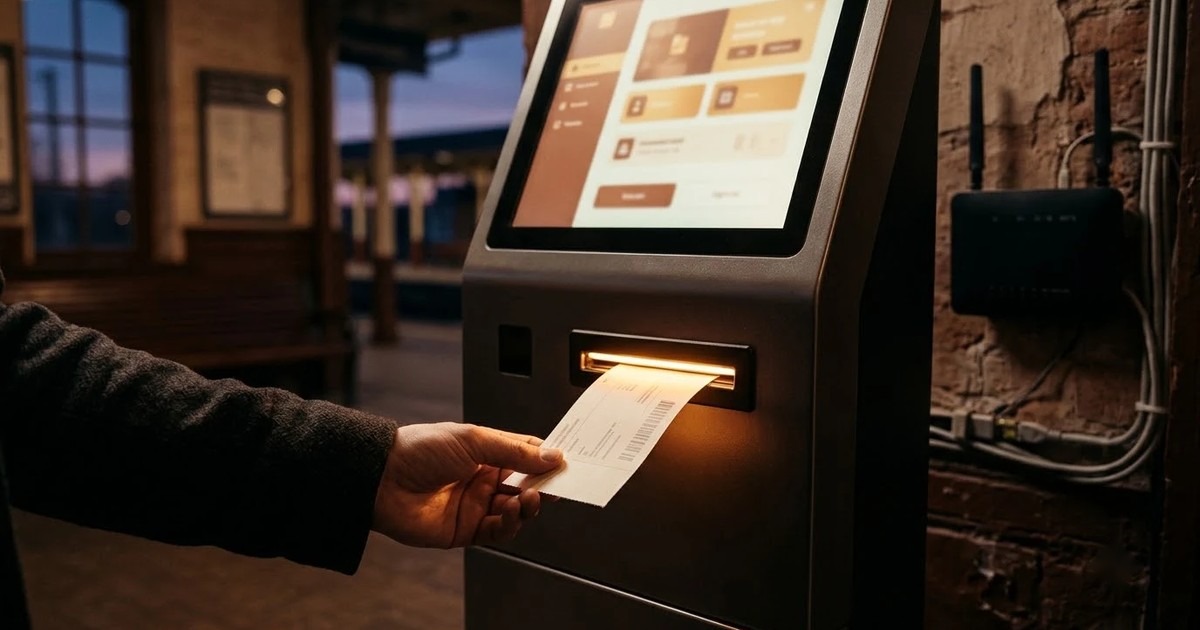
In today's fast-paced world, ensuring that your self-service kiosks operate seamlessly is crucial, especially in locations with unreliable connectivity. Offline kiosk software is designed to provide a reliable experience for users, allowing transactions and interactions to continue even when network access is intermittent or unavailable. This capability is essential for businesses that rely on kiosks for customer engagement and operational efficiency.
As operations managers, understanding the importance of offline functionality in kiosk software can significantly impact your service delivery and customer satisfaction. This article delves into why offline kiosk software matters and how it can enhance your operations.
Understanding Offline Kiosk Software
Offline kiosk software refers to applications designed to operate without a constant internet connection. This type of software enables kiosks to function seamlessly, ensuring that users can access essential services and information even in areas where connectivity is sporadic or unavailable. The core functionality of offline kiosk software includes data storage, local processing, and the ability to synchronize with backend systems once connectivity is restored.
The importance of offline capabilities cannot be overstated, particularly in environments where internet access is unreliable. Kiosks equipped with offline software can continue to serve customers, process transactions, and provide vital information, thus maintaining operational integrity. This is crucial in sectors like retail, transportation, and healthcare, where interruptions can lead to significant disruptions.
Industries such as hospitality, public transportation, and retail stand to benefit immensely from offline kiosk capabilities. For instance, hotels can allow guests to check in or access services without needing internet access, while transportation hubs can provide ticketing services in areas with poor connectivity.
Why Offline Functionality Matters to Your Operations
Having offline functionality in your kiosk operations is essential for ensuring continuity of service, especially during internet outages. When a kiosk can operate independently of an internet connection, it guarantees that customers can still access services, thereby minimizing the impact of any connectivity issues. This redundancy is crucial for maintaining business operations and enhancing customer satisfaction.
Moreover, offline capabilities significantly reduce customer frustration. Users do not have to wait for a connection to access essential services, leading to a smoother and more efficient user experience. This is particularly important in high-traffic areas, where delays can lead to long lines and dissatisfied customers.
The impact of offline functionality extends to revenue and operational efficiency as well. During downtime caused by connectivity issues, businesses risk losing sales and valuable customer interactions. By implementing offline kiosk software, organizations can mitigate these risks, maintaining revenue streams and ensuring operational efficiency even in challenging conditions.
Key Features of Effective Offline Kiosk Software
Effective offline kiosk software is essential for ensuring a seamless user experience, especially in areas where internet connectivity is sporadic or unreliable. One of the primary features to look for is local data storage and synchronization capabilities. This allows the kiosk to store user data and transaction information locally, enabling transactions to be processed even when the connection is lost. Once connectivity is restored, the system can synchronize the locally stored data with the central database, ensuring that all information is up to date.
Robust error handling and transaction recording are also critical features. The software should be able to manage various scenarios, such as power outages or sudden connectivity drops, without losing transaction data. This ensures that users can trust the kiosk to handle their requests reliably, even under adverse conditions. Clear logging of transactions when offline also helps in reconciling data after connectivity is restored.
Finally, a user-friendly interface is paramount. The software should guide customers through the process during offline use, providing clear instructions and feedback. Intuitive design minimizes user frustration and enhances the overall experience, making it easier for customers to complete transactions without assistance.
Choosing the Right Offline Kiosk Software
When selecting the right offline kiosk software, operations managers must consider several key factors to ensure compatibility and effectiveness. First, it's important to evaluate how well the software can integrate with existing systems and peripherals. This includes compatibility with hardware like printers, payment terminals, and other devices that are critical for kiosk operations. A seamless integration process can reduce operational disruptions and enhance the overall functionality of the kiosk.
Vendor support and software updates are another vital consideration. Opting for a vendor that offers comprehensive support can make a significant difference in managing any issues that arise. Regular software updates are essential for maintaining security and functionality, particularly as technology evolves and new features become available. Always check the vendor's reputation for customer service and their history of providing timely updates.
Lastly, assessing scalability and future-proofing is crucial for long-term success. As business needs change, the chosen software should be able to adapt and grow accordingly. Look for solutions that allow easy upgrades and additional features, ensuring that the kiosk can continue to meet user demands without requiring a complete overhaul.
Implementing Offline Kiosk Software Successfully
Implementing offline kiosk software requires careful planning and execution to ensure the system operates smoothly in real-world environments. One best practice is to conduct thorough field testing before a full deployment. This involves simulating various scenarios that the kiosks may encounter, such as fluctuating connectivity and high user loads. By identifying and addressing potential issues during the testing phase, you can significantly reduce the risk of operational disruptions.
Additionally, staff training is critical for optimal use of offline kiosk software. Employees should receive comprehensive training that covers not only the technical aspects of using the kiosks but also how to troubleshoot common issues. Providing user education materials, such as manuals or quick-reference guides, can empower staff to assist customers effectively and maintain the kiosks independently.
Finally, establishing monitoring and maintenance strategies is essential for ensuring the reliability of your offline kiosks. Regularly scheduled maintenance checks can help identify hardware or software issues before they escalate. Implementing remote monitoring tools can also provide real-time insights into kiosk performance, allowing for timely interventions and minimizing downtime.
How AtashiTech helps
AtashiTech specializes in kiosk application development, offering software that operates effectively even during network outages. This software functions as a native Windows executable, ensuring that kiosks continue to serve users without interruption, and it reconciles data once connectivity is restored. AtashiTech integrates various peripherals such as printers, scanners, and payment terminals into its kiosk solutions, which helps streamline operations in environments where connectivity may be unreliable.
Moreover, AtashiTech's centralized kiosk management and remote monitoring platform enables operators to manage their entire kiosk fleet from a single dashboard, providing real-time health monitoring and usage analytics. This feature is particularly beneficial in offline scenarios, as it allows operators to quickly identify issues and implement fixes without needing to be physically present at each kiosk location.
Conclusion
In conclusion, implementing offline kiosk software is a vital strategy for businesses that want to maintain high levels of service and reliability in their customer interactions. By leveraging the right technology, you can ensure that your kiosks remain functional and user-friendly, regardless of connectivity challenges.
Planning a kiosk project? Talk to AtashiTech about your requirements — every engagement is scoped and quoted individually.
Frequently asked questions
Related solutions and services

Kiosk Application Development
Windows/.NET kiosk apps with peripheral integration.
Learn more
Centralized Kiosk Management & Remote Monitoring Platform
One console for every kiosk we deliver: enrolment, heartbeats and alerts for silent terminals, crash loops, low battery and peripheral faults, remote screenshot, restart and on-screen message, staged releases, one error log and uptime PDF reports.
Learn moreMore from the blog

Doctor Prescription App: What It Does and How to Choose One
What a doctor prescription app does, how it compares with a paper pad, what to check during a trial and who it suits. Includes a worked OPD example and a buyer's checklist.

How to Choose a Visitor Management Kiosk for Your Office
A buyer's guide to the visitor management kiosk: what to check on sign-in, approvals, the gate, offline use and visitor data, with a checklist table.
Self-Checkout Kiosk Software for Indian Retail: A Buyer's Guide
What to check in self-checkout kiosk software for an Indian store: UPI, card and cash, weighing, offline use, Android or Windows hardware, and staff assist.
Tell us the journey, the sites and the hardware you already have — every engagement is scoped and quoted individually.