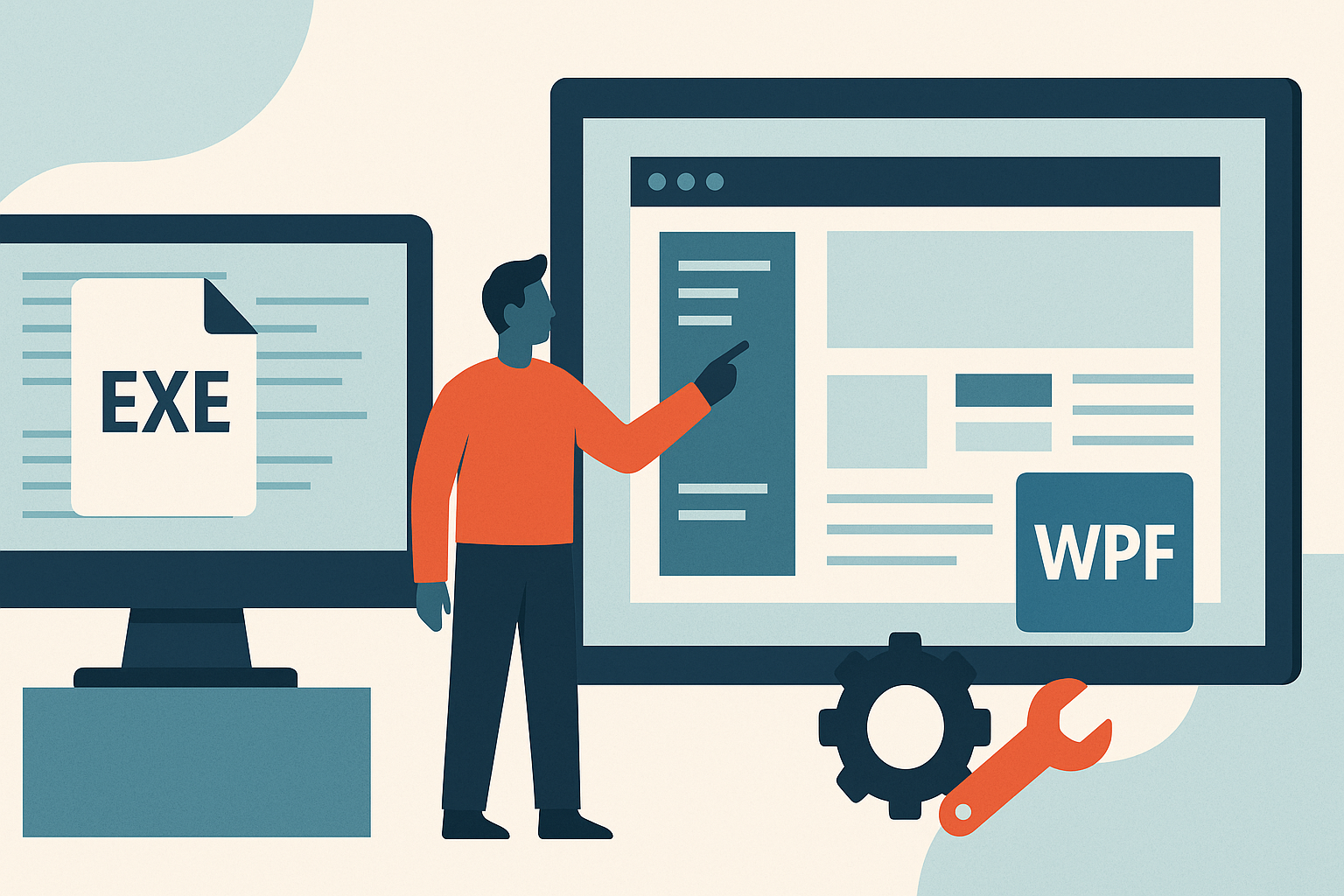
Modernizing legacy EXE applications using WPF (Windows Presentation Foundation) can significantly enhance operational efficiency and user experience. As businesses evolve, the need to upgrade outdated software becomes critical to maintain competitiveness and meet current technology standards.
In this article, we will explore how transitioning from legacy applications to modern .NET enterprise applications can be tailored to meet specific business requirements through customization.
Understanding Legacy Applications
Legacy applications are software programs that are outdated but still in use within organizations. They often rely on older technologies and may not integrate well with newer systems. Common use cases include enterprise resource planning (ERP) systems, customer relationship management (CRM) systems, and specialized applications developed for specific business needs, which continue to run despite their age.
The importance of modernizing legacy systems cannot be overstated. As businesses evolve, the efficiency of operations hinges on the ability to adapt to changing technologies and customer expectations. Modernization allows companies to improve performance, enhance security, and provide better user experiences, all of which contribute to overall business efficiency.
However, maintaining legacy applications poses significant challenges. These can include high maintenance costs, difficulty in finding skilled personnel familiar with outdated technologies, and increased risk of security vulnerabilities. Additionally, legacy systems may lack the flexibility required to meet current business demands, making modernization a critical consideration for organizations looking to stay competitive.
Benefits of Using WPF for Modernization
Windows Presentation Foundation (WPF) offers numerous advantages for organizations looking to modernize their applications. One of the most significant benefits is the enhanced user experience provided through modern interfaces. WPF allows for the creation of visually appealing applications that can utilize rich graphics, customizable layouts, and intuitive navigation, which can significantly improve user satisfaction and engagement.
In addition to a better user experience, WPF also improves the performance and capabilities of applications. With its advanced rendering engine, WPF can efficiently handle complex graphics and animations, resulting in smoother performance and a more interactive user interface.
Moreover, WPF supports advanced features such as data binding and animations, enabling developers to create dynamic applications that respond to user actions in real time. This functionality not only enhances the overall interactivity of applications but also simplifies the development process, allowing for quicker iterations and updates. By leveraging WPF, businesses can breathe new life into their legacy applications, making them more aligned with current technology trends and user expectations.
Customization for Specific Business Needs
Customization plays a crucial role in modernizing legacy applications, allowing organizations to tailor solutions to meet their unique requirements. By understanding the specific needs of clients, developers can create applications that enhance functionality and streamline operations. This tailored approach not only addresses the immediate challenges faced by businesses but also positions them for future growth.
Moreover, when applications are customized to align with user preferences and workflows, it significantly drives user adoption and satisfaction. Employees are more likely to embrace new systems that reflect their processes, ultimately leading to increased productivity and reduced resistance to change.
For example, a retail company may require a specific inventory management system that integrates seamlessly with their existing supply chain processes. Customization allows for the development of features such as real-time tracking and analytics, which can lead to better decision-making and improved operational efficiency. Such successful customization projects demonstrate the value of investing in bespoke solutions that cater to the distinct needs of each organization.
Transitioning from Legacy to Modern Applications
The transition from legacy to modern applications is a critical process that requires careful assessment and planning. Businesses must first evaluate their current systems, identifying the strengths and weaknesses of existing legacy applications. This assessment helps in understanding the specific functionalities that need to be preserved or enhanced in the new system.
Once the assessment is complete, a well-defined plan should be developed for the migration process. This plan should include a timeline, resource allocation, and clear objectives to ensure a smooth transition. Thorough testing during migration is essential, as it helps identify and resolve issues before the new application goes live, minimizing the risk of disruptions.
Additionally, businesses should employ strategies to ensure minimal disruption to ongoing operations during the transition. This may involve phased rollouts, where certain features are implemented gradually, or providing training and support to employees to facilitate a seamless shift. By prioritizing these steps, organizations can effectively navigate the complexities of transitioning to modern applications, ensuring continuity and operational efficiency.
Evaluating Your Options: Custom vs. Off-the-Shelf Solutions
When considering the modernization of legacy applications, decision-makers must evaluate whether to invest in custom solutions or off-the-shelf products. Custom solutions are tailored specifically to meet the unique needs of an enterprise, whereas off-the-shelf products offer a more generalized approach. Each option has its advantages and drawbacks that should be carefully weighed.
One of the primary advantages of custom development is its ability to align perfectly with specific business processes and requirements. This level of customization can enhance user experience and productivity, as the application can be designed to integrate seamlessly with existing systems and workflows. Furthermore, custom solutions can provide a competitive edge by offering features that are not available in standard products.
On the other hand, off-the-shelf solutions can be more cost-effective and quicker to deploy. They often come with built-in features that cater to a wide range of industries. However, organizations must consider long-term support and scalability. Custom applications, while initially more expensive and time-consuming to develop, can be more adaptable to future business needs and technological advancements.
How AtashiTech helps
AtashiTech builds software that integrates with existing systems to modernize legacy applications using the .NET framework and WPF, ensuring that businesses can leverage their current investments while embracing new technology. Our approach involves creating customized Windows desktop applications that can effectively replace outdated EXE applications, enhancing functionality and user experience.
By developing tailored solutions, AtashiTech ensures that every engagement is scoped individually, allowing for a bespoke transition that meets specific client needs and operational requirements. This includes integrating new features and functionalities into the modern application that reflect the unique workflows of each business.
Conclusion
Modernizing legacy EXE applications to WPF not only improves performance but also enhances usability tailored to your business needs. Embracing this transition can pave the way for future growth and innovation.
Planning a kiosk project? Talk to AtashiTech about your requirements — every engagement is scoped and quoted individually.
Frequently asked questions
Related solutions

More from the blog
How a Queue Management Kiosk Reduces Waiting Room Stress
Explore the advantages of implementing a queue management kiosk in hospitals and banks to enhance service efficiency and reduce waiting room stress.
Key Kiosk Software Cost Factors You Should Know
Discover the primary factors that influence the cost of custom kiosk software, and gain insights to enhance your project budget planning.
Android iOS Apps for Your Business Requirements
Learn how Android iOS apps can be tailored to fit your business needs, regardless of size. From native development to integration, explore your options.
Tell us the journey, the sites and the hardware you already have — every engagement is scoped and quoted individually.